
Mixology AI
Personalized cocktails and mocktails, starting with what you have.
Independent product · AI recipe app and website
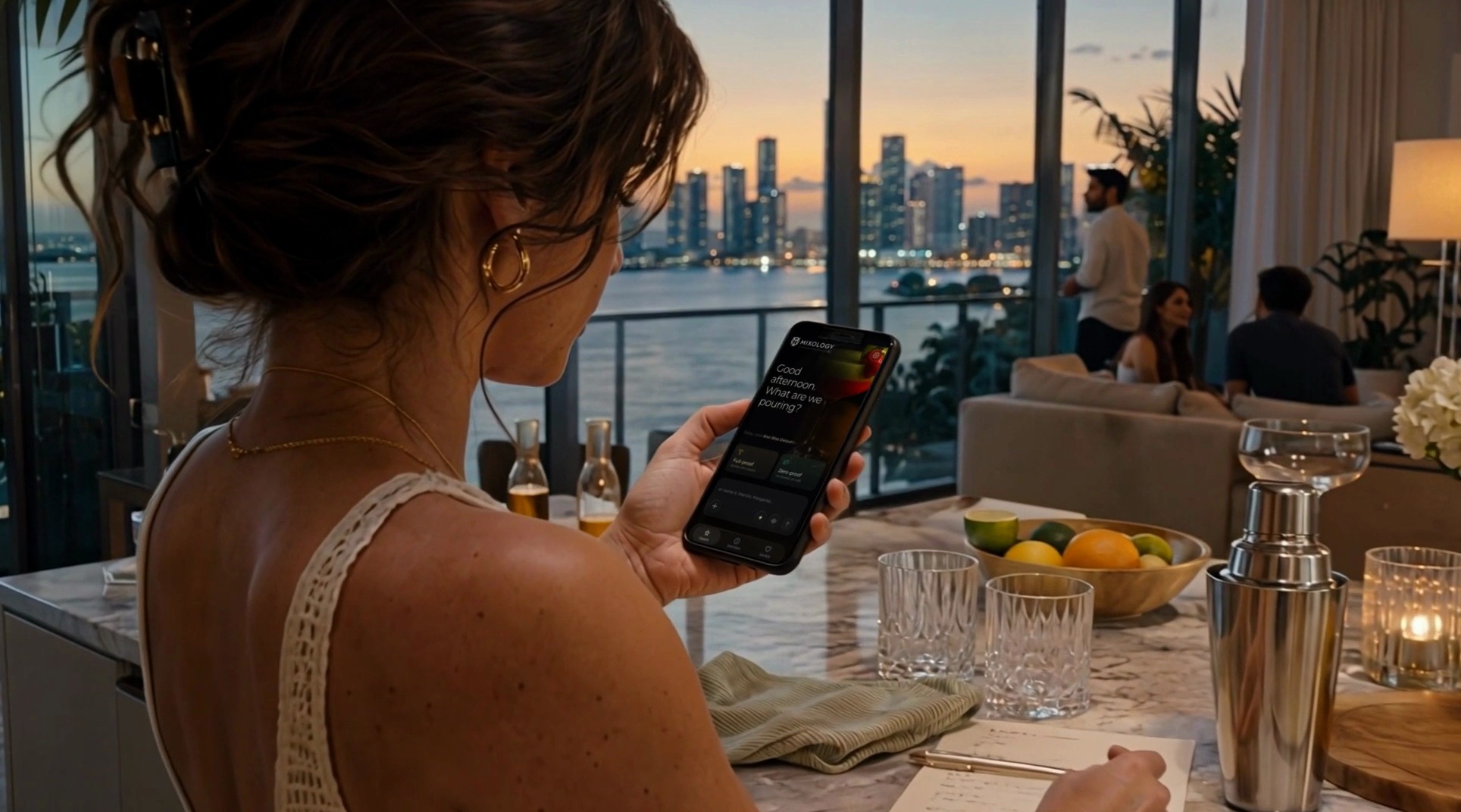
Mixology AI’s recipe interface in the cinematic journey. Explore more of the app in the recorded walkthrough below.
An AI bartender for your ingredients
Mixology AI is an independent app and website from By Design Labs that creates personalized cocktail and mocktail recipes from ingredients you already have. It turns a starting ingredient or an idea for a drink into a recipe you can make.
Photograph an ingredient. Find a drink.
Take a picture of an ingredient to start creating a cocktail or mocktail. Switch to alcohol-free Mocktail Mode when you want a zero-proof drink, and explore combinations that fit what is on hand.
Talk through ideas and hear the recipe
The conversational AI bartender supports a full voice experience: talk through drink ideas and hear recipes read aloud. Text input provides another way to shape a recipe around your ingredients and preferences.
Keep the drinks you want to make again
Revisit your recipe history and save favorite drinks for later. A successful experiment can become a repeat recipe for your next gathering.
Explore the product
A silent app walkthrough · 32 seconds. Play, pause or seek through the recording.
Recording unavailable in this browser. Read the description below, or try the direct recording link.
A text description of the walkthrough is available below, including the onscreen choices, imagery and results.
Read the recording description
Silent vertical phone recording, approximately 32 seconds. The interface has a nearly black background, fine pale lettering, gold highlights and translucent rounded cards. An owl-like monogram and “MIXOLOGY AI” sit at the top with a settings gear. A bottom navigation bar shows Craft, History and Saved; Craft remains selected during the demonstrated creation flow.
0:00–0:02 — Start. A close-up photograph of a stemmed red-and-green cocktail with kiwi and a strawberry forms the background. The greeting reads “Good afternoon. What are we pouring?” Under it is “Today, I pick Kiwi Bliss Daiquiri.” Two large choices are “Full-proof” with “alcohol, the classics,” and “Zero-proof” with “no alcohol, all craft.” A text-entry area offers “or name it: Martini, Margarita...” and shows plus, sparkle, waveform and upward-arrow icons. The recording proceeds with Full-proof, not Zero-proof; no keyboard or free-text typing is demonstrated.
0:02–0:07 — Choose the base. A summary card has Full-proof and rows for Base, Mix and Vibe. The prompt becomes “Full-proof it is. What’s on your shelf?” Visible choice chips include Gin, Vodka, Rum and Tequila; another chip is clipped at the right edge. Rum becomes gold-highlighted and appears in the entry area, then in the Base summary row. The upward arrow is the visible continuation control.
0:07–0:09 — Choose the mixer. The prompt reads “Rum. What are we mixing it with?” Visible suggestions include Tonic Water, Soda Water and a partly edge-clipped Ginger Beer chip. The entry placeholder suggests “tap a few: Tonic Water, Mint, Cinnamon...” The demonstrated selection is Ginger Beer, confirmed by its full text in the entry and Mix summary row.
0:09–0:12 — Choose the mood. The prompt becomes “Ginger Beer. What’s the vibe?” A horizontally shifting row shows Cozy, Refreshing, Smoky, Spicy and Bright; an additional right-edge label is only partly visible. The entry prompt is “tap one, or describe the vibe.” Spicy becomes gold-highlighted, appears in the entry, and is then recorded in the Vibe row.
0:12–0:14 — Review and generate. The card now confirms Full-proof / Base: Rum / Mix: Ginger Beer / Vibe: Spicy. “Ready to craft?” is followed by “Review your selections or tap any item above to change it.” A large “CRAFT THIS DRINK” button and smaller “Start a new drink” link are visible. The craft button is activated and the screen transitions to the result.
0:14–0:20 — Result builds progressively. A dark dotted/gold pattern and skeleton placeholders appear with “CRAFTING YOUR DRINK,” “Something spicy, coming up...” and a bottom “POURING...” state. A Back button, outline heart and share icon are visible. The status changes to “GENERATING YOUR IMAGE” and “Styling the shot...” while text arrives. The drink is named Fiery Ginger Swizzle, labeled FULL-PROOF, with a visible Read aloud control. No read-aloud playback is heard or demonstrated in this silent file. Its description reads: “A vibrant, spicy cocktail that marries the warmth of aged rum with the zesty bite of ginger beer, igniting the palate with every sip.”
0:20–0:26 — Recipe and method are revealed while scrolling. The result specifies Glassware: Collins and Garnish: Thinly sliced candied ginger on a cocktail pick. The full ingredient list and all four method steps become readable across the scroll positions:
Fiery Ginger Swizzle — displayed recipe
Ingredients
- 2 oz aged rum
- 4 oz ginger beer
- 0.5 oz fresh lime juice
- 2 dashes Angostura bitters
Method
- Fill a Collins glass halfway with crushed ice.
- Add rum, fresh lime juice, and bitters to the glass.
- Top with ginger beer and gently swizzle to mix.
- Garnish with a candied ginger slice and serve immediately.
The disclaimer reads: “Mixology AI recipes are AI-generated. Please drink responsibly.” This transcript reproduces what the app displays; it does not independently validate the recipe.
0:26–0:30 — Completed result. The generated image loads: a tall, straight-sided glass of golden/amber liquid filled with ice on a dark wooden bar, with pale candied-ginger pieces on a pick and a green citrus wedge at the rim; warm blurred bar lights sit behind it. The page returns upward to show the image, Fiery Ginger Swizzle title, full-proof label and description. The bottom action changes from “POURING...” to “CRAFT ANOTHER”. Back, the outline heart, Read aloud and share remain visible; the recording does not show saving or sharing.
0:30–0:32.3 — Restart. The creation home screen returns, again asking “Good afternoon. What are we pouring?” Its suggested drink is now Midnight Ember, accompanied by a dark amber drink photograph with a dried citrus wheel and cinnamon sticks. Full-proof, Zero-proof, the text-entry controls and Craft/History/Saved navigation reappear. The waveform icon briefly highlights at the very end, but no spoken content, completed voice entry or further result is present.
Clipped or unreadable labels are not reconstructed. Repeated phone status icons and loading microchanges are omitted. This describes the supplied recording, not the current live product.
Open the silent Mixology AI recording · View its still poster
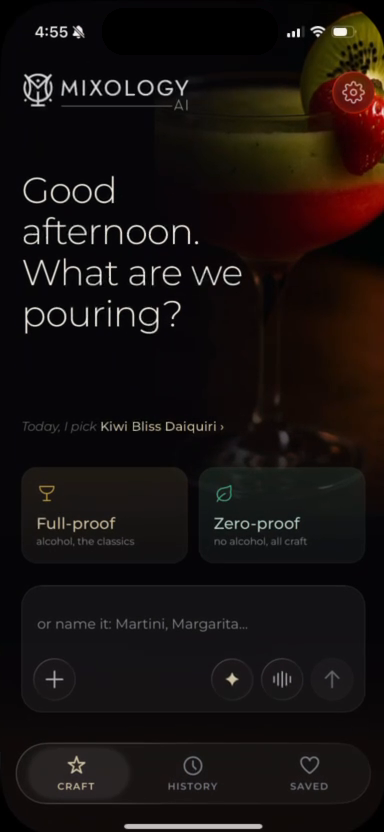
A recorded walkthrough of the recipe-creation experience, with playback controls and a text description.